
If you've forgotten your Wordpress password, and are unable to login into Admin area to manage data/content, you can easily recover your password by following the following guidelines :
1) Create/convert your new password, thru this URL : http://www.netkl.com/convert-pwd
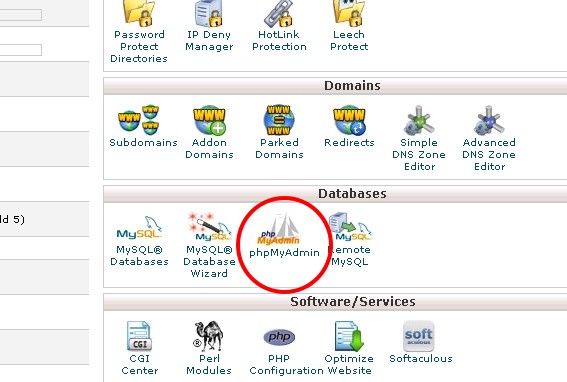
2) Login into cPanel, and get into PhpMyAdmin (refer picture below).
2) Login into cPanel, and get into PhpMyAdmin (refer picture below).
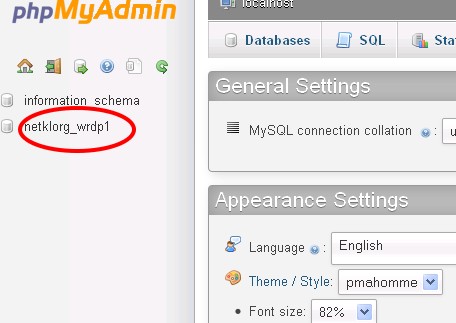
3) Choose Wordpress database. (refer picture below).
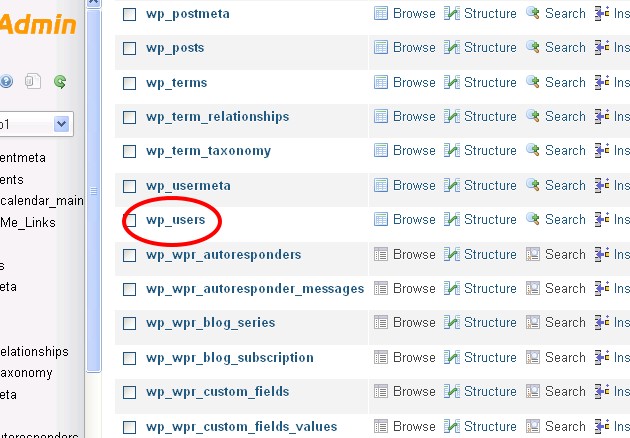
4) Browse into WP-Users table. (refer picture below).
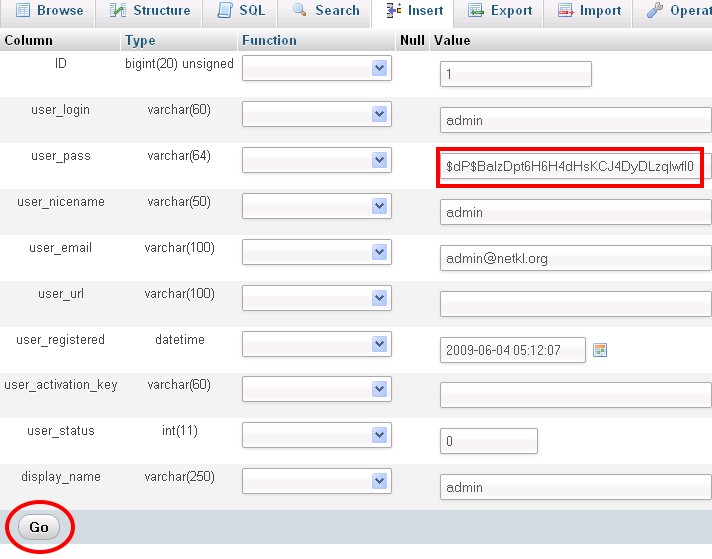
5) Choose user that you would like to modify. (refer picture below).

6) Key-in your new password into 'user_pass' field, then, click on 'GO' button to SAVE. Then, you should be able to login into wordpress by using new password. (refer picture below).
P/S : This guidelines can also be used on other software, such as Joomla, PhpBB, etc.